Rocket League Game Guide 2025 – Best Tips & Tricks for Gameplay
Rocket League is one of the most exciting and unique multiplayer games ever made. It combines the thrill of soccer with fast-paced car racing, creating a wild and competitive experience loved by players around the world. Whether you’re new to the game or looking to sharpen your skills, this Rocket League Game Guide 2025 will help you understand the basics, master the controls, and play like a pro. Let’s dive in and explore everything you need to know to dominate the field.
GameOverview of Rocket League
Rocket League is a vehicular soccer video game developed and published by Psyonix. It was originally released in 2015 and is now available on multiple platforms, including PlayStation, Xbox, Nintendo Switch, and PC.
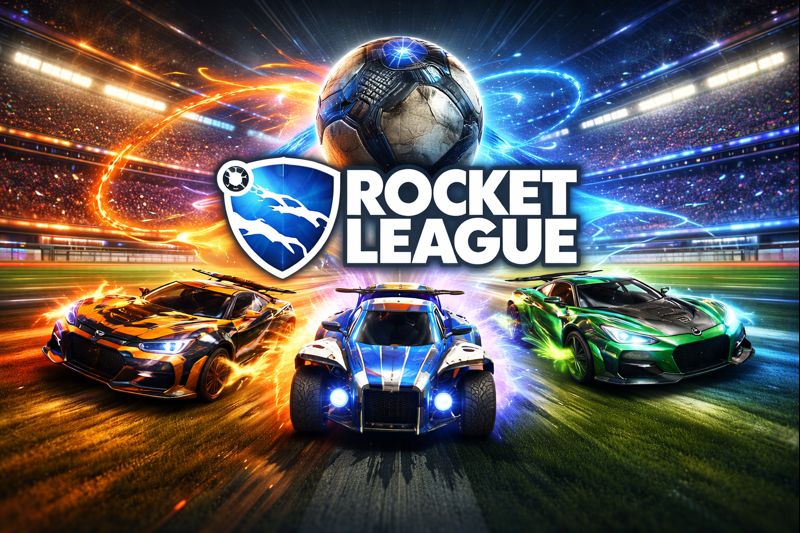
In Rocket League, players control rocket-powered cars and try to hit a giant ball into the opponent’s goal. The mix of high-speed driving, aerial stunts, and teamwork makes every match exciting and unpredictable. The game continues to evolve with regular updates, new cars, and limited-time events, keeping the community fresh and active.
Rocket League Gameplay Guide
Playing Rocket League is simple to learn but hard to master. Here’s how it works:
- Each match features two teams, usually 3v3, but there are modes for 1v1, 2v2, and 4v4 as well.
- The main objective is to score goals by hitting the ball with your car.
- You can drive, jump, boost, and flip to control your car and hit the ball strategically.
- Boost pads are spread across the arena—collect them to refill your boost meter and gain speed.
- Matches last five minutes, and if the score is tied, the game goes into overtime until someone scores.
Team coordination, quick reactions, and good positioning are the keys to winning matches consistently.
Key Features
- Fast-Paced Car Soccer Gameplay – Drive rocket-powered cars and score epic goals.
- Cross-Platform Play – Compete with friends no matter what device they use.
- Skill-Based Mechanics – Master flying, dribbling, and flipping to outplay opponents.
- Customization Options – Unlock new cars, decals, boosts, and goal explosions.
- Competitive & Casual Modes – Choose your level of challenge and climb the ranks.
- Global Esports Scene – Join the competitive world of Rocket League tournaments.
- Regular Updates & Events – Enjoy new maps, items, and seasonal rewards.
Tips & Tricks to play Rocket League
Here are some helpful tips to improve your gameplay:
- Learn to Control the Ball—Don’t just chase it; try to predict its movement and stay in position.
- Use Boost Wisely—Don’t waste boost unnecessarily; save it for defense or aerial plays.
- Rotate with Your Team—Avoid crowding around the ball. Good rotation keeps your defense strong.
- Practice Aerials—Being able to hit the ball in the air gives you a big advantage.
- Watch Pro Replays—Study how professional players move, position, and communicate.
- Focus on Defense—Sometimes the best offense is a strong defense. Don’t overcommit.
Best Setting for Smooth Gameplay
For a lag-free and smooth Rocket League experience in 2025, try these recommended settings:
- Graphics Quality: Medium or High (depending on your PC specs)
- FPS Cap: 120+ FPS for smoother motion
- V-Sync: Off (for reduced input delay)
- Camera Settings:
- Field of View: 110
- Camera Distance: 270
- Height: 100
- Angle: -3
- Stiffness: 0.45
- Controller Sensitivity: Around 1.5–2.0 for precise control
- Network Settings: Use a wired internet connection for minimal lag.
These settings provide a great balance between performance and visual quality.
How to Improve Aim in Rocket League
Unlike shooting games, Rocket League’s “aim” means hitting the ball accurately and consistently. Here’s how to sharpen your precision:
- Use Free Play Mode—Spend time practicing shots, dribbles, and aerials without pressure.
- Master Car Positioning—Always align your car’s nose toward where you want the ball to go.
- Play Custom Training Packs—Search for community training codes focused on aerial shots or flicks.
- Use Replays—Analyze your gameplay to see where you miss the ball or misjudge angles.
- Stay Calm—Rushed moves cause mistakes. Focus on control instead of power.
With steady practice, your shots and clears will become more accurate over time.
Mostly Asked Questions
Is Rocket League free to play?
Yes, Rocket League is free to play on all major platforms.
Can I play Rocket League offline?
Yes, you can play offline with bots or local split-screen with friends.
What are the system requirements for Rocket League on PC?
You need at least 4 GB RAM, a dual-core processor, and a DirectX 11-compatible GPU for smooth gameplay.
How can I unlock new cars and items?
You can earn them by leveling up, completing challenges, or purchasing Rocket Pass rewards.
Does Rocket League have cross-platform progression?
Yes! You can link your Epic Games account and share progress across all devices.
Also visit:Mecha Break
Conclusion
Rocket League remains one of the most thrilling and skill-based games of all time. Its mix of racing, teamwork, and strategy makes it endlessly fun and competitive. With these Rocket League tips and tricks for 2025, you’ll have everything you need to perform better, win more matches, and enjoy every goal you score. So, grab your rocket-powered ride and hit the field—victory awaits.